CTSkyWarsTools
A ChatTrigger with various tools that come in handy when playing SkyWars

Download
Download the latest GitHub release
No release is available right now.
Install instructions
- Download the archive from the button above.
- Open Minecraft and type /ct files, navigate to the modules folder
- Extract the ZIP-file into your ChatTriggers modules folder.
- The folder called 'CTSkyWarsTools' should be in modules.
- In Minecraft, type /ct reload
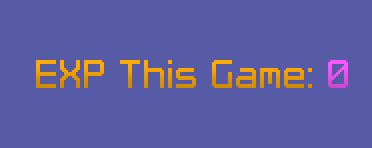
Default experience display
EXP Display
Can't be bothered to stay in the game to check your EXP for that game? CTSkyWarsTools can display your EXP for the current game wherever you want, so you can easily check it whenever you want.

Autododge in action
Autododge
Add maps you don't want to play to the blocklist, and CTSkyWarsTools will automatically dodge you from those maps. A sound plays, and you can sneak in order to cancel the dodge.

SkyWars Levels in action
SkyWars Levels
Whenever you join a game, the level of all of the players in that game will be displayed next to their name in the tab list! Nicks do not work (of course), and it might take a bit for all the level to load.
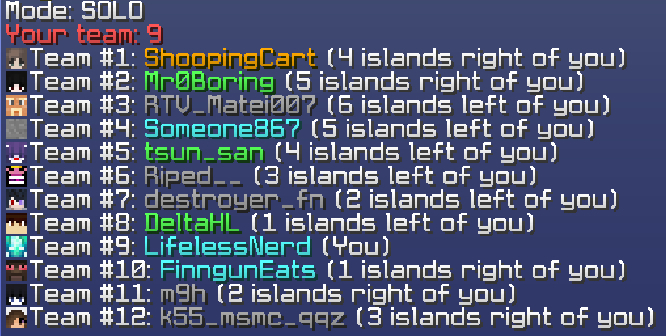
Output of /who
Enhanced Who
The /who command is enhanced to show the island relative to yours, from the perspective of mid. This can be wrong because Hypixel map builders sometimes build clockwise and sometimes counterclockwise, but it should be correct most of the time.

CTSkyWarsTools Settings
You can enable and disable the various submodules of CTSkyWarsTools in the settings menu, as well as customize some of the features to your liking.
